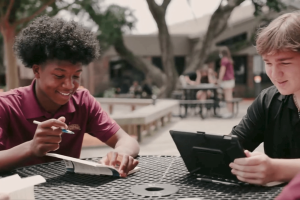




Guide – Build Your K12 Device Refresh Strategy
Published June 17, 2025
By: UDT
Four years after the pandemic, school districts are now readying up to conduct their next large-scale device refresh. Download the guide and benefit from expert insights on how to make tactical improvements to your K12 device strategy.
erate funding
Reading Time: 2 minutes

Build Your K12 Device Refresh Strategy

Four years after the pandemic, school districts are now readying up to conduct their next large-scale device refresh. Download the guide and benefit from expert insights on how to make tactical improvements to your K12 device strategy.

What You’ll Gain

  • Understand the K12 device/OS debate
  • Explore the universal expectations of K12 technology
  • Examine student and staff device considerations with device examples
  • Learn insights on budget, repair/refresh cycles, and accessories
  • Discover strategies for achieving a sustainable, predictable device program

Download your free copy now to start developing your device refresh plan.

Get the insights required to navigate a successful K12 device refresh

Many school districts are facing device refreshes in 2025—optimize your impact with strategy

Pandemic lockdowns and social distancing may have accelerated 1:1 device initiatives for school districts, but the rush to switch to remote learning also put device strategy on the backburner—until now. Four years later, as schools are readying up to conduct large-scale device refreshes, now is the ideal moment to revisit your device strategy.

The question remains—how can school districts determine which devices are “the right” devices for their students and staff? This guide is designed to help education leaders navigate their next device refresh successfully, empowering you with the insights required to make the most of your K12 technology investment so you can achieve the best teaching and learning outcomes.

Our experts compare “the big three”—Google Chrome OS, Microsoft Windows OS, and Apple iOS/MacOS—and illustrate the four universal expectations of K12 technology users. The guide also provides detailed persona considerations with device examples that complement elementary, middle school, and high school students and teaching faculty. Finally, you’ll benefit from bonus insights on budgeting, accessories, and repair/refresh strategies to empower you as you build a sustainable, predictable device program.

Need more support?

Contact UDT today to learn more about which one-time IT investments can make a difference for your school district.

Click the button, call (800) 882-9919 or visit udtonline.com.

Accomplish More With UDT

Get your custom solution in cybersecurity, Lifecycle Services, digital transformation and managed IT services. Connect with our team today.

Related Posts 

k12 identity security
November 19, 2025
Identity Is the New Perimeter: How K12 IT Leaders Can Strengthen Identity Security
Cyberattacks in schools start with stolen credentials. Discover why K12 identity security matters and how to strengthen IAM for safer …

Vista previa del contenido

BY:

Reading Time: 3 minutes
K12 cybersecurity map
July 2, 2025
Digital Learning at Risk: Why Patch Management as a Service (PMaaS) Is Essential for K12 Schools
Discover how the K12 cybersecurity map highlights vulnerabilities in schools. PMaaS ensures secure learning environments and regulatory compliance. …

Vista previa del contenido

BY:

Reading Time: 4 minutes
erate funding
June 17, 2025
Guide – Build Your K12 Device Refresh Strategy
Four years after the pandemic, school districts are now readying up to conduct their next large-scale device refresh. Download the …

Vista previa del contenido

BY:

Reading Time: 2 minutes
IT support for schools
May 21, 2025
Beyond Devices: How K12 Districts Are Rethinking IT Support to Sustain Digital Transformation
IT support for schools is essential for sustaining digital transformation, ensuring that innovative technologies are effectively utilized and maintained. …

Vista previa del contenido

BY:

Reading Time: 4 minutes
K12 school modernized IT
April 10, 2025
This K12 School Modernized IT & Saved
Episcopal School of Jacksonville partnered with UDT to modernize IT, cut costs, and build scalable digital infrastructure for future-ready K12 …

Vista previa del contenido

BY:

Reading Time: < 1 minute
online learning platforms for schools
April 2, 2025
Choosing the Best Online Learning Platform for K12 Education
Explore top online learning platforms for schools to improve student engagement, security, and scalability. Find the best LMS for your …

Vista previa del contenido

BY:

Reading Time: 3 minutes

Join our newsletter for the latest
UDT Insights delivered straight to your inbox.

Experiencing a security breach?

Get immediate assistance from our security operations center! Take the following recommended actions NOW while we get on the case:

RECOMMENDED IMMEDIATE NEXT ACTIONS

  1. Determine which systems were impacted and immediately isolate them. Take the network offline at the switch level or physically unplug the systems from the wired or wireless network.
  2. Immediately take backups offline to preserve them. Scan backups with anti-virus and malware tools to ensure they’re not infected
  3. Initiate an immediate password reset on affected user accounts with new passwords that are no less than 14 characters in length. Do this for Senior Management accounts as well.

UDT is committed to your success. We’ll connect you with the right IT solutions for your unique needs and challenges. 


* Indicates a required field

Just one more step

Please fill out the following form,