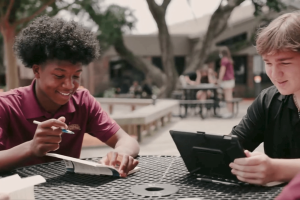




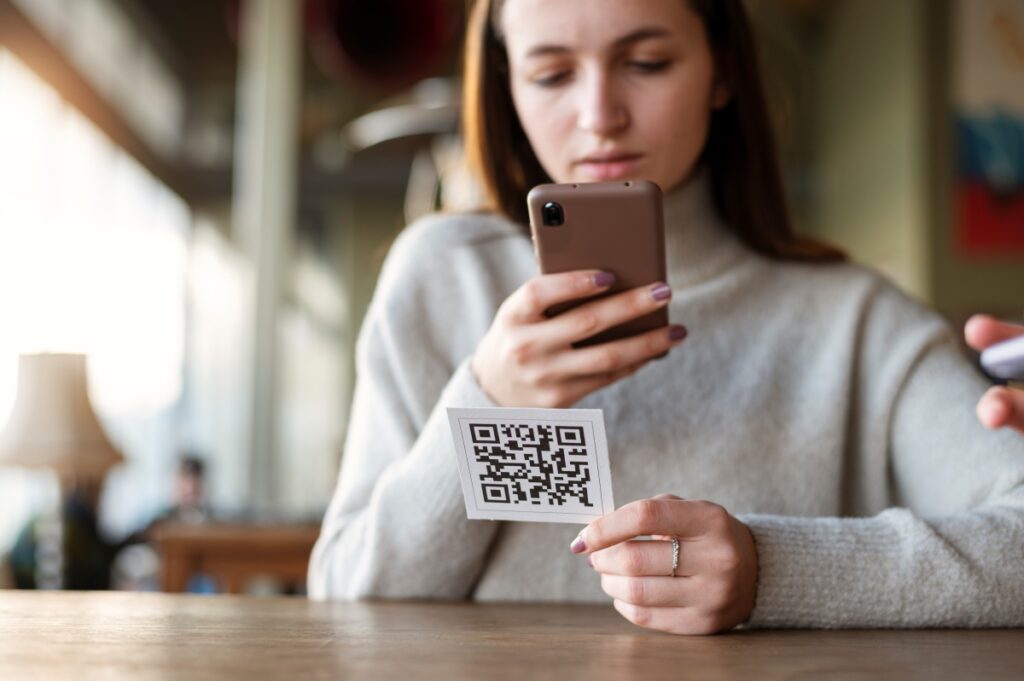
QR codes have become ubiquitous in our daily lives. You can find them being used for restaurant menus, event tickets, and as a convenient way to share webpages, data, phone numbers/contact info, map directions, and even data/files on mobile devices (whether iOS or Android). Even school classrooms have taken advantage of the technology to share assignments, schedules, club and sports activities and more. Just hover over the QR code with your smartphone camera app and voila! Instant results. While QR codes have certainly made our lives easier, they have also introduced new risks.
As the usage of QR codes increases, so does the potential for misuse by cybercriminals, scammers, and other bad actors. K12 schools and higher education in particular have become prime targets for cybercriminals using QR codes as an attack vector, often in combination with phishing websites (or through QR codes delivered via phishing emails). Our cybersecurity experts have gathered their insights on this form of cyberattack to help K12 leaders find ways to mitigate the risk it poses so your school district can avoid falling victim.
A Quick History of QR Codes
While QR codes have only come into common use in recent years, they are by no means a new invention. In fact, they were first invented in Japan in 1994 by a development team at Denso Wave led by Masahiro Hara. Hara’s team was tasked with creating a new kind of barcode system that could be used to track the various components used in the vehicle manufacturing process. The end result? A mosaic of black and white squares they called a “Quick-Response Code,” or QR code.
While QR codes have been a staple in the manufacturing sector for roughly 30 years, their use has quickly expanded beyond that industry and into our everyday lives. As with many sudden changes in our current lives, the increasingly widespread use of QR codes can be tracked back to the time of the COVID-19 pandemic. For example, you may remember the first time you went to an actual restaurant after the lockdowns: the restaurant likely required you to scan a QR code to access the menu to increase more sanitary, “contactless” practices and reduce the possibility of transferring germs through printed menus.
In fact, from 2020 to now, the use of QR codes has skyrocketed. In 2020, 70.6 million smartphone users in the United States made use of a QR code scanner on their mobile devices. By 2022, that amount had risen to 88.9 million. Looking forward to 2025, it is predicted that a whopping 100.2 million Americans will be using QR code scanners on their mobile devices. The problem with this, however, is that QR codes aren’t always safe to use and are now being exploited as attack vectors to perform data breaches and cyberattacks called “quishing” attacks.
How QR Codes Are Used in Quishing Attacks
Quishing (a term that combines “QR” and “phishing”) is a type of QR code scam involving the manipulation and/or exploitation of QR code technology, often with the goal of identity theft or to steal other sensitive information. This can be as simple as a hacker or a fraudster with limited technical skills using a free online QR code generator to make one that links to a malicious or spoof website, printing the malicious QR code on a sticker, and then using it to cover up a legitimate QR code so users will unknowingly be redirected to enter their login credentials, personal data/sensitive information, credit card information, bank account details, or download malicious software (malware). This type of phishing scam is dangerous as it often takes less steps and effort to be successful: phishing attacks require research and planning, whereas quishing often involves a simple swap of the QR code itself.
The problem stems from people’s blind trust of QR codes and the lack of awareness that QR codes may contain more than just links—in fact, they often contain large amounts of data, which you won’t know the intent of until it is too late. After scanning a code, you could be sent to a website, begin a download you didn’t intend, initiate a phone call, or perform a variety of other functions.
The Threat of QR Codes in Education
Consider the incident that happened at Washington University in St. Louis (WUSTL) back in September of 2023: in a coordinated quishing attack, students and faculty were targeted by malicious QR codes that redirected anyone who scanned them to a spoof version of the WUSTL website (phishing site). The codes were delivered via email to students or faculty and warned them that their university email accounts would be terminated if they did not login successfully by the allotted deadline. This opened a fake login window in which the duped victims entered their credentials to be stolen by bad actors.
This same approach has been replicated on other campuses across K12 and higher education and should serve as a lesson for IT leaders to take caution. Cybercriminals create fake QR codes that redirect users to malicious websites or cause them to download harmful software. It is easy to do since QR codes, when used appropriately, can be such convenient ways to share information; however, it cannot be understated that QR codes do pose a significant risk to schools, where students and faculty regularly use QR codes for various educational and extracurricular activities. Cybercriminals exploit this trust, leading to the theft of valuable student and staff data.
A Risk-First, Zero-Trust Approach
To combat the threat of fake QR codes, schools need to adopt a risk-first, zero-trust approach. This means treating all QR codes that you come across as potentially fraudulent QR codes until proven otherwise—and perhaps, freezing the use of QR codes altogether until alternative security solutions can be implemented. Here are some best practices:
- Educate Staff and Students: Awareness is the first line of defense. Teach students and staff about the potential dangers of blindly trusting and scanning QR codes and provide tips on how to spot suspicious ones.
- Use a Secure QR Code Scanner: Certain QR code scanner apps (you can easily find a legit QR code reader on your provider’s app store) can give users peace of mind through added security features. These apps can verify the embedded URL for known security threats before opening it and can warn users if a potential threat is detected.
- Verify Before Scanning: If a QR code comes from an unknown source, it’s best to avoid it. If it’s necessary to scan, you should verify the source first. Be especially wary of QR codes you find posted in public places, like parking meters. Always look for physical signs of tampering: is the QR code printed on the original document or is it a sticker? You should NEVER scan a QR code that you receive via text message from an unknown number, through social media, or via email unless you can confidently confirm the source.
- Always Use Multi-Factor Authentication (MFA): MFA can sometimes seem like an inconvenient extra step, requiring you to get a code via email or text to access an account even after entering login credentials; however, it provides an added layer of protection if your login credentials are stolen via quishing or any other attack vector. You should always use MFA when available.
- When In Doubt, Don’t Scan: If you are unsure whether a QR code comes from a trusted source, the answer for what you should do is a simple one—just don’t scan it. Oftentimes, QR codes are accompanied by their intended URLs (which are easier to confirm). Type that URL into your browser instead of scanning, and be sure to make sure the website URL doesn’t contain misspellings or typos. Sometimes, you just need to navigate to a website or get the information you need the “old fashioned way.” This may be slower… but it’s also safer.
Keep in mind that QR codes, in and of themselves, are not “unsafe.” The potential danger comes from what is in the QR codes. Always be sure to verify first—and if you can’t verify it, don’t scan it!
Security Assessments Can Help Schools Stay Ahead of New Threats
Regular security assessments can help schools identify vulnerabilities and take corrective action. These assessments should include checks for potential QR code threats. By staying vigilant and proactive, schools can significantly reduce the risk posed by QR codes. Unfortunately, antivirus software and firewalls are not going to offer you much protection against this sort of attack vector. Effective prevention starts with awareness, so integrate this into your conversations with students and staff about cybersecurity.
While QR codes have brought convenience to the classroom, they’ve also introduced new potential risks to data security. By adopting a risk-first, zero-trust approach and conducting regular security assessments, schools can protect themselves from these threats and ensure a safe learning environment for their students and staff.
Contact UDT today to discover how we can help your school district stay vigilant and secure in the face of evolving cyberthreats with cybersecurity solutions and assessments designed for education.

Looking for more?
Download our “Year-End Budget Spend Checklist” to evaluate your needs and identify the right areas for a last-minute investment in the appropriate areas before your spending deadline.